CGDI Prog Benz

Showing posts with label CGDI PROG MB. Show all posts

Tuesday, June 2, 2020

How to use CG MB W205 FBS4 to Mileage Reset software filter version (-2018)

Confirmed: CG MB can do W205 FBS4 Mileage Repair for software filter version (-2018).


Do the job on the bench, need:

CGDI MB

USB cable (connected to one computer)

16pin cable (in the package)

Power supply cable

W205 EIS + key

The renew adapter

The ECU

W205 gateway

The dashboard


Procedure:

Download CG MB software, open it and select "Mileage repair", then " FBS4 Mileage Repair - software filter version (-2018)

Connecting the device...

Close "Personal account".


 Cgdi Mb W205 Fbs4 Mileage Programming 001

Follow the operation tips to do.

  1. Click on "Read mileage" button, get the dashboard number and mileage, gateway number, EIS mileage.

the dashboard mileage is : 12345KM.

Cgdi Mb W205 Fbs4 Mileage Programming 002


  1. The writing process varies depending on the dashboard type, "Write" process is to modify the dashboard miles.


  1. Steps to install software filter:

(1). Click on "Read configuration files" (by OBD). It will take 3 minutes.

After succeed, save it into a folder on the desktop.

Cgdi Mb W205 Fbs4 Mileage Programming 003


(2) Remove the cluster from car and connect 12V power to the CGMBvdevice, please do not supply power to the outside of the meter. Connect the mileage repair adapter and cluster then click on "Prepare flash" button (Select the configuration file saved in step 1).


Please refer to this wiring diagram below.

Cgdi Mb W205 Fbs4 Mileage Programming 004


Insert the power adapter to CG MB and meanwhile connect to the renew adapter.

Cgdi Mb W205 Fbs4 Mileage Programming 005


Click on "Prepare Flash".

Choose the " configuration files" that are saved to load.

Programming chip, please wait... until you see "Prepare for FLASH success".

Cgdi Mb W205 Fbs4 Mileage Programming 006


(3) Put the instrument back to the car or platform, check the OBD connection, and click to write the configuration file (select the configuration file saved in step 1).

Cgdi Mb W205 Fbs4 Mileage Programming 007 Cgdi Mb W205 Fbs4 Mileage Programming 008 Cgdi Mb W205 Fbs4 Mileage Programming 009


(4) Write mileage by OBD.

New mileage: 8888km

This operation takes a long time, please connect the power supply or start the car in advance.

Cgdi Mb W205 Fbs4 Mileage Programming 010 Cgdi Mb W205 Fbs4 Mileage Programming 011

Cgdi Mb W205 Fbs4 Mileage Programming 012


(5) Learning cluster to EIS by OBD.

Click on "Learn dashboard to EIS".

Cgdi Mb W205 Fbs4 Mileage Programming 013


(6) Clear the fault code by OBD, please power on the cluster again if the mileage has not changed.

Cgdi Mb W205 Fbs4 Mileage Programming 14

Now the dashboard display 8888KM.


Job is done.


Big thanks to CG MB

 Source:http://www.mileageprogrammer.com/cg-mb-w205-fbs4-mileage-repair-software-filter/


Friday, June 14, 2019

How to add Benz Kline W202 W208 W210 Key with CGDI MB?

Topic: How-to's of CGDI MB adds Benz Kline W202 W208 W210 Key via OBD

Procedure:
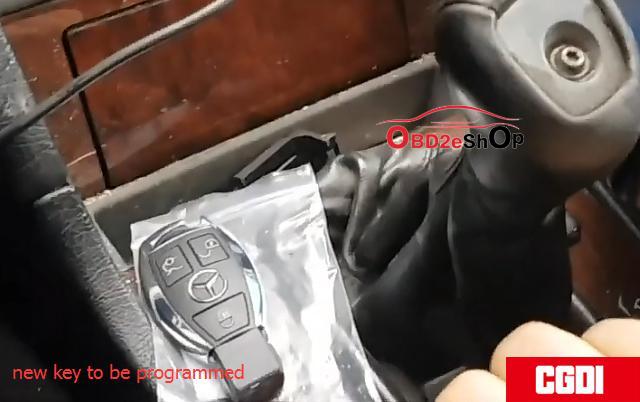
This is new key to be programmed
CGMB_Adds_Old_Benz_Kline_W202_W208_W210_Key_via_OBD_01
Step 1: Calculate Password
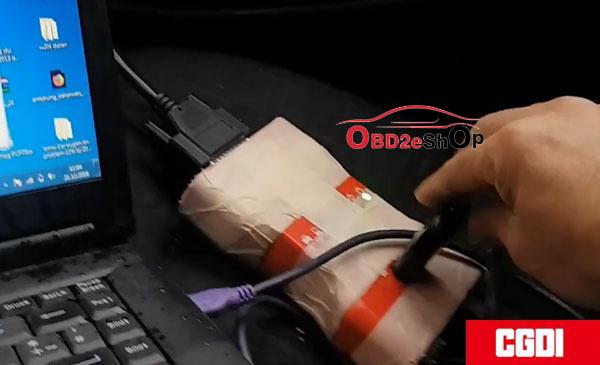
Plug CGDI MB to the laptop and vehicle
Open CGDI MB software
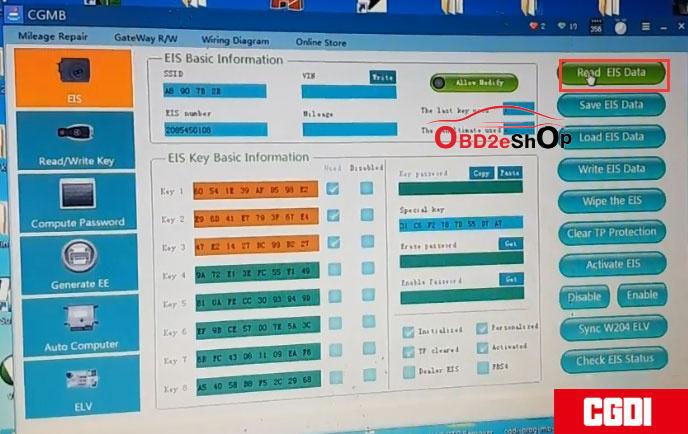
CGMB_Adds_Old_Benz_Kline_W202_W208_W210_Key_via_OBD_02
Go to EIS->Read EIS data
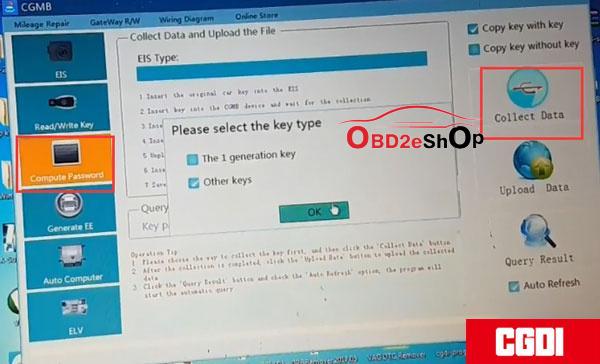
Choose Computer Password-> Copy key with key-> Collect data.
CGMB_Adds_Old_Benz_Kline_W202_W208_W210_Key_via_OBD_03

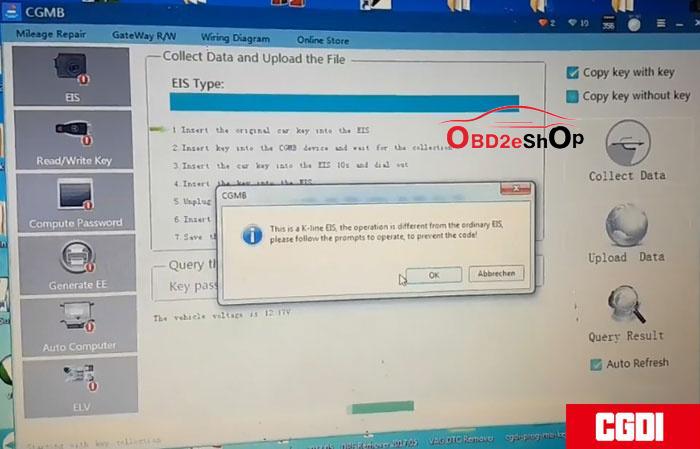
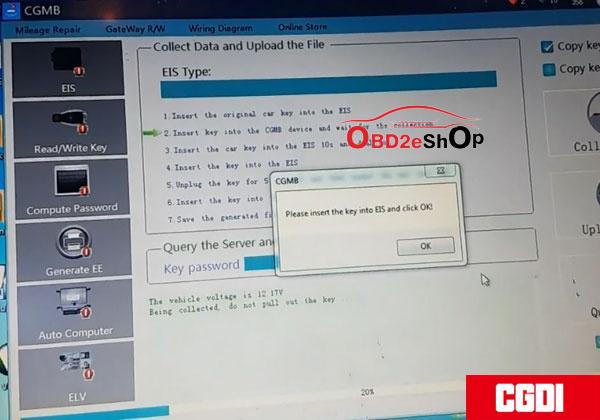
Collect data by following the below 7 steps:
1.Insert the original key into EIS and press OK
This is a k-line EIS, the operation is different from the ordinary EIS.
CGMB_Adds_Old_Benz_Kline_W202_W208_W210_Key_via_OBD_04
2.Insert the key into CGDI MB and wait for collection

3.Insert the car key into EIS 10s and remove
Make sure to twise the key to ON position and turn on
instrument. If failed, pull out the key and try again. Press OK to continue.

4.Insert the key into EIS
CGMB_Adds_Old_Benz_Kline_W202_W208_W210_Key_via_OBD_05
CGMB_Adds_Old_Benz_Kline_W202_W208_W210_Key_via_OBD_06

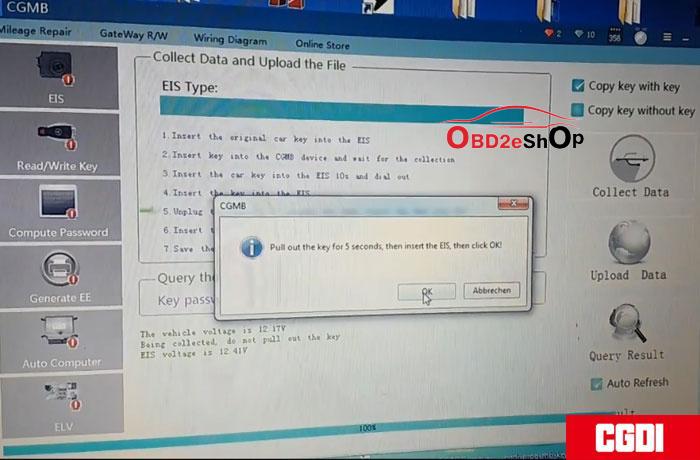
  1. Remove the key for 5s and then insert the key into EIS

6.Insert the key into CGDI MB

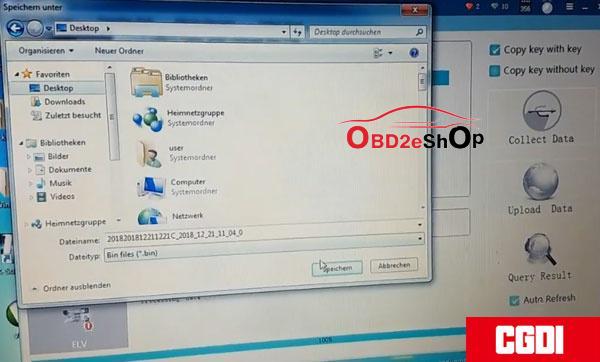
  1. Save the generated files.
CGMB_Adds_Old_Benz_Kline_W202_W208_W210_Key_via_OBD_07
CGMB_Adds_Old_Benz_Kline_W202_W208_W210_Key_via_OBD_08

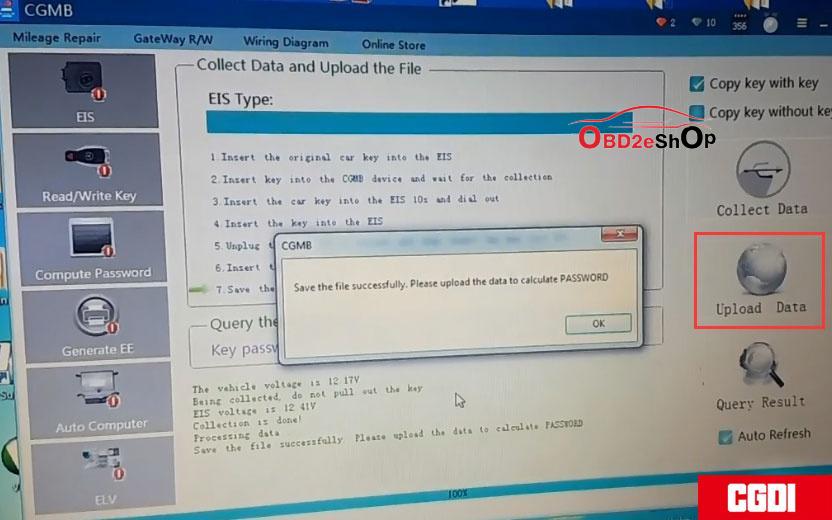
8.Save the file successfully. Upload the data to calculate password.
CGMB_Adds_Old_Benz_Kline_W202_W208_W210_Key_via_OBD_09

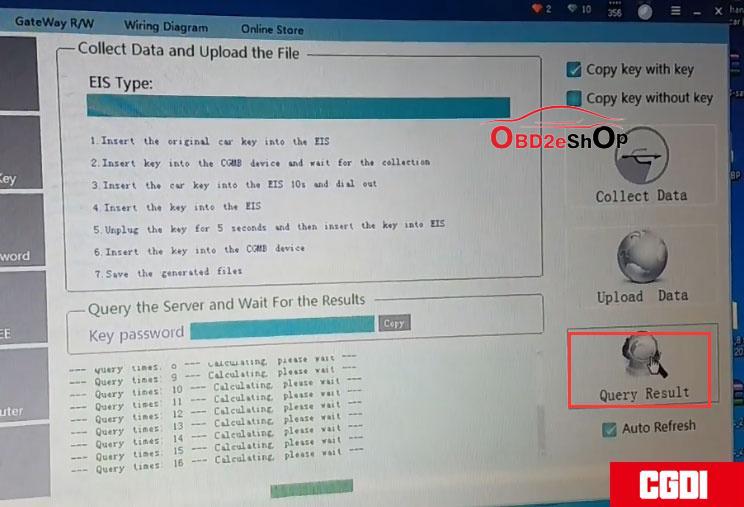
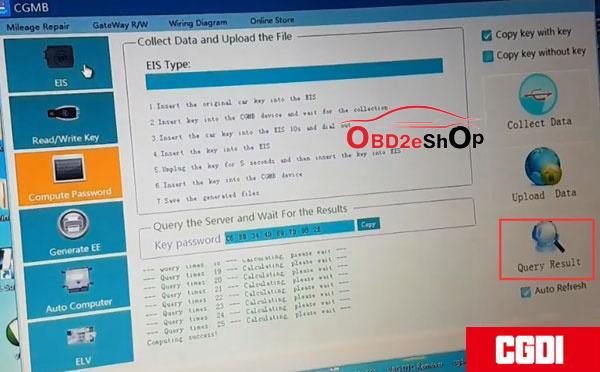
Upload data successfully. Press Query Results to calculate pass--done.
CGMB_Adds_Old_Benz_Kline_W202_W208_W210_Key_via_OBD_10
CGMB_Adds_Old_Benz_Kline_W202_W208_W210_Key_via_OBD_11
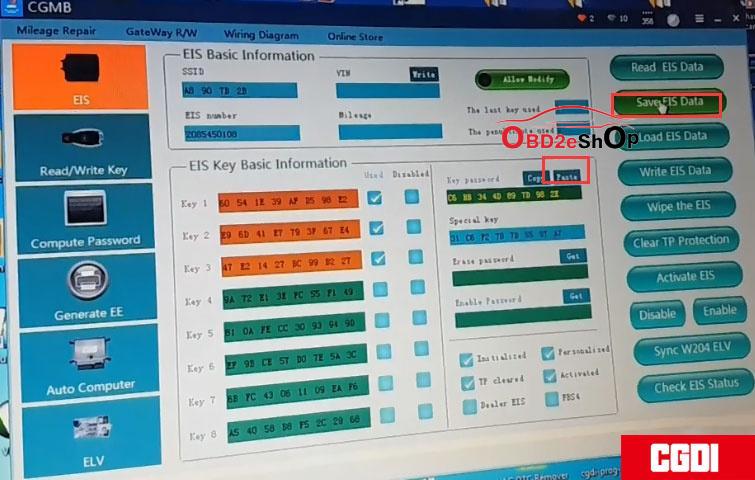
Copy and paste the pass to EIS Key password box and then save it.
CGMB_Adds_Old_Benz_Kline_W202_W208_W210_Key_via_OBD_12
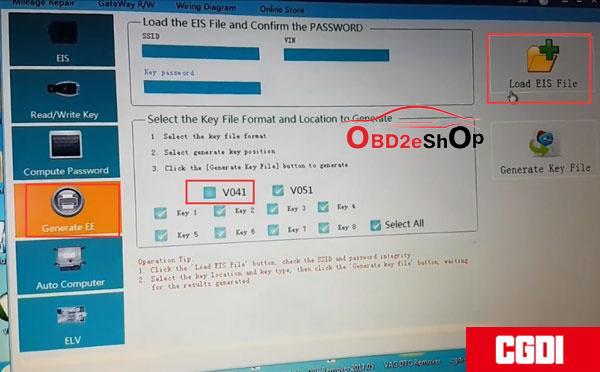
Select Generate EE->V051-> Load EIS file.
CGMB_Adds_Old_Benz_Kline_W202_W208_W210_Key_via_OBD_13

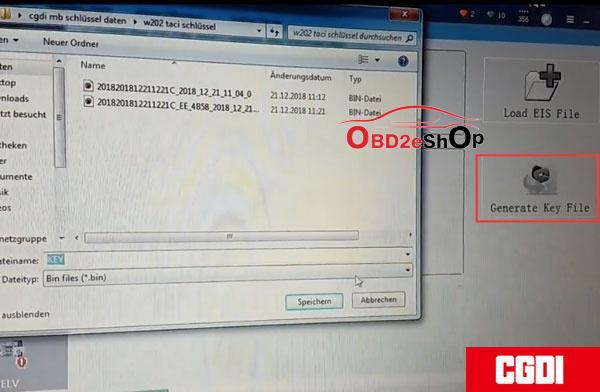
Upload EIS file just saved-->Press Generate Key File-->The key file was generated successfully.
CGMB_Adds_Old_Benz_Kline_W202_W208_W210_Key_via_OBD_14

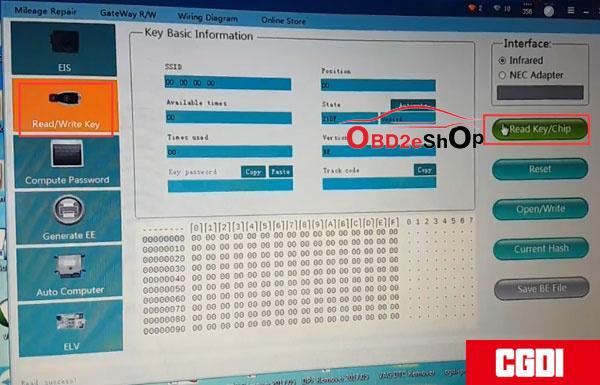
Go to Read/Write Key->IR --->
read the key/chip
CGMB_Adds_Old_Benz_Kline_W202_W208_W210_Key_via_OBD_15

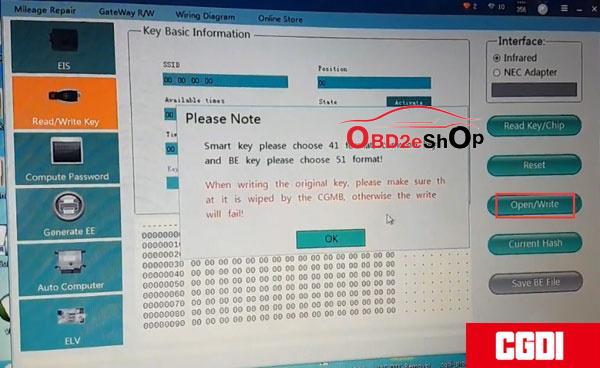
Then Open/Write
CGMB_Adds_Old_Benz_Kline_W202_W208_W210_Key_via_OBD_16

For Smart key choose 41 format, for common key and BE key choose 51 format.

Select a key file and write it.
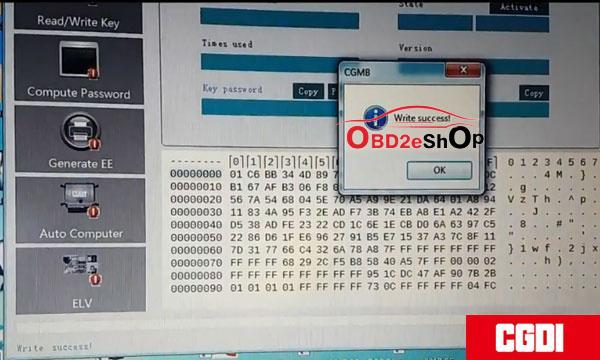
CGMB_Adds_Old_Benz_Kline_W202_W208_W210_Key_via_OBD_17
Write key success.
CGMB_Adds_Old_Benz_Kline_W202_W208_W210_Key_via_OBD_18

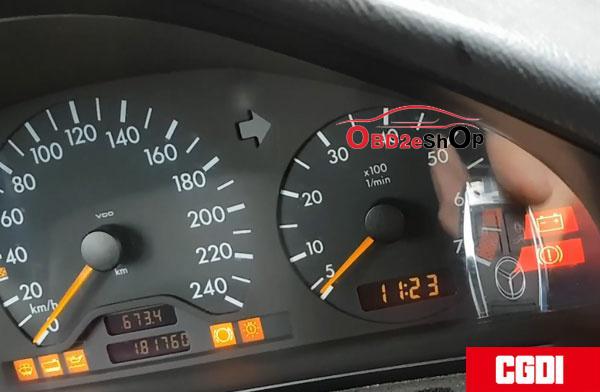
Test the new key. Works good.

Job is done.

http://blog.obd2eshop.com/cgdi-mb-adds-benz-kline-w202-w208-w210-key/

Thursday, May 16, 2019

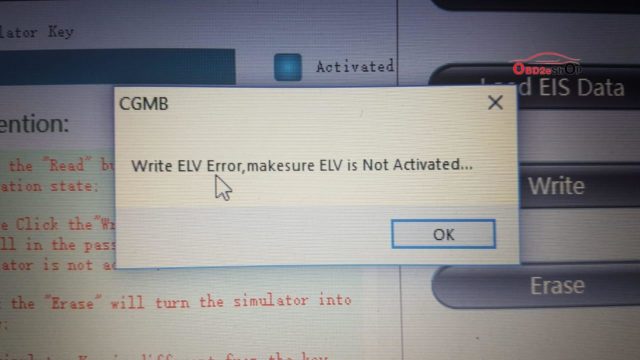
(Solved)Write ELV Error,Makesure ELV Is Not Activated

A user used CGDI MB and ELV simulator (White), get the errors:
1: Write ELV error, make sure ELV is not activated.
  1. This is the old version of the simulator, please contact the after-sales to replace the new version for free...
cgmb-write-elv-error-01 cgmb-write-elv-error-02

Possible reason:
K-line has bad clip

Solution:
Follow the below instruction to operate.

Connect CGDI MB tool to the vehicle via the OBD port, then read the EIS data.
how-to-use-cgdi-elv-simulator-01

Click on "Computer password" to collect the data.
how-to-use-cgdi-elv-simulator-02
The collection process will not be described one by one, upload data, successfully query the password and copy the key password.
how-to-use-cgdi-elv-simulator-03
Click on "EIS" and paste the key password.
how-to-use-cgdi-elv-simulator-04
Save the data in the default file name.
how-to-use-cgdi-elv-simulator-05
Put on the ELV simulator and clip the K-line.
how-to-use-cgdi-elv-simulator-06

Click "ELV", enter "simulator".
how-to-use-cgdi-elv-simulator-07
Read the Simulator and the related information will be displayed, take 204 ELV simulator data for example.
how-to-use-cgdi-elv-simulator-08
Erase Simulator success!
how-to-use-cgdi-elv-simulator-09
Load the EIS data that was saved just now and check whether the key password is correct.
how-to-use-cgdi-elv-simulator-10
Click 'write' button.
how-to-use-cgdi-elv-simulator-11
Write ELV successfully, please insert key into EIS and switch ignition on to activate.
how-to-use-cgdi-elv-simulator-12 how-to-use-cgdi-elv-simulator-13
Read simulator again, you can see it is in the "activated" status, match successfully!
how-to-use-cgdi-elv-simulator-14

Done.

CGDI MB and ELV simulator tech support is offered by www.obd2eshop.com

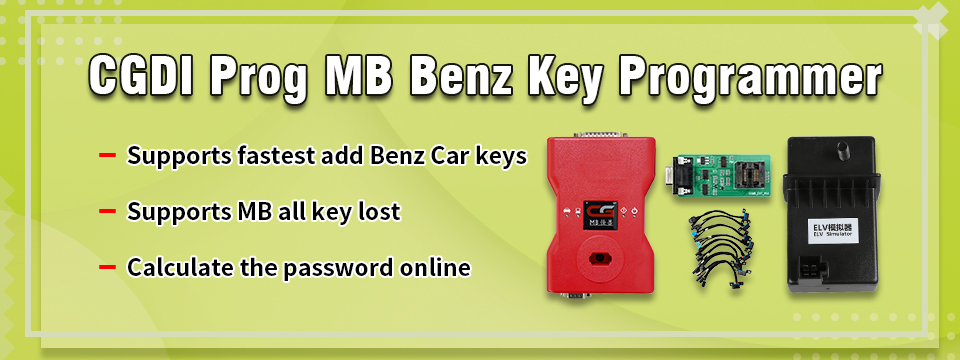
CGMB
http://www.obd2eshop.com/wholesale/cgdi-prog-benz-key-programmer.html
ELV simulator
http://www.obd2eshop.com/wholesale/cddi-mb-elv-simulator.html

Source:
http://blog.obd2eshop.com/solution-to-cgmb-write-elv-error/

Saturday, January 19, 2019

CGDI MB takes 10minues to collect data from Benz EIS when all keys lost

In past: Are you frustrated by it took you almost two hours to collect the data from the Mercedes Benz EIS when all keys lost, and VVDI power adapter can't communicate with CGDI MB? collect-data-from-eis-80minutes-01 Now : CGDI MB 2.8.1.0 plus one AC adapter will shorten the data collection time from 2 hours to almost 10 minutes.   It collects the data from EIS via OBD without dismantling EIS, you don't have to plug in and out emulator key every 5 seconds.   it works with these Mercedes Benz models: W221 W209 W246 W251 164 166 etc. cgdi-mb-update-2019-02 cgmb-ac-adapter-connection-03 cgdi-mb-ac-adapter-for-data-collection-04 cgdi-mb-ac-adapter-for-data-acquisition-05   The following Mercedes Models are tested fine and the data collection time is shorten to even 9 minutes: 1. Mercedes Benz S series W221, EIS 216: data collection time 12 minutes 2. Mercedes Benz E series 221, EIS 211: data collection time 9 minutes 3. Mercedes Benz C series W209, EIS 209: data collection time 9 minutes 4. Mercedes Benz B series W246, EIS 169: data collection time 35 minutes 5. Mercedes Benz A series W246, EIS 169: data collection time 35 minutes 6. Mercedes Benz R series W251, EIS 164905: data collection time 12 minutes 7. Mercedes Benz ML series 164, EIS 164905: data collection time 12 minutes 8. Mercedes Benz GL series 166, EIS 164905: data collection time 12 minutes   cgmb-ac-adapter-connection-06 cgmb-ac-adapter-connection-06 cgmb-ac-adapter-connection-08  
http://blog.obdexpress.co.uk/2019/01/19/how-does-cgdi-mb-collect-data-from-eis/

How to assemble CG MB FBS3 BGA KeylessGo Key & VVDI Benz smart key shell?

Both CG MB FBS3 BGA KeylessGo Key and Xhorse VVDI Benz smart key shell 3 button share the same assembly process. Open the battery cove...