CGDI Prog Benz

Showing posts with label OBD2Eshop. Show all posts

Friday, June 14, 2019

How to add Benz Kline W202 W208 W210 Key with CGDI MB?

Topic: How-to's of CGDI MB adds Benz Kline W202 W208 W210 Key via OBD

Procedure:
This is new key to be programmed
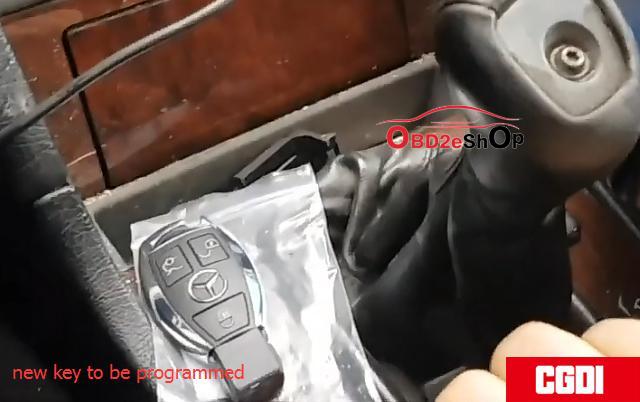
CGMB_Adds_Old_Benz_Kline_W202_W208_W210_Key_via_OBD_01
Step 1: Calculate Password
Plug CGDI MB to the laptop and vehicle
Open CGDI MB software
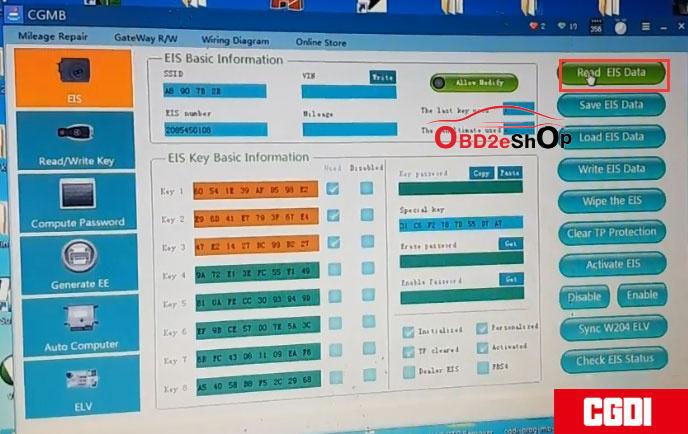
CGMB_Adds_Old_Benz_Kline_W202_W208_W210_Key_via_OBD_02
Go to EIS->Read EIS data
Choose Computer Password-> Copy key with key-> Collect data.
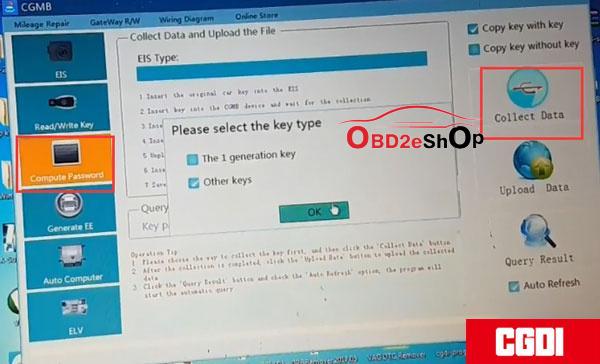
CGMB_Adds_Old_Benz_Kline_W202_W208_W210_Key_via_OBD_03

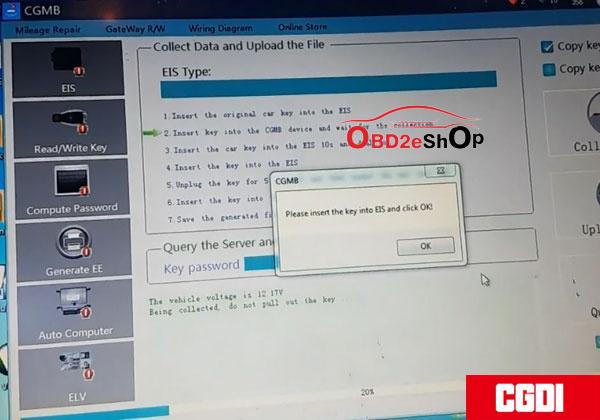
Collect data by following the below 7 steps:
1.Insert the original key into EIS and press OK
This is a k-line EIS, the operation is different from the ordinary EIS.
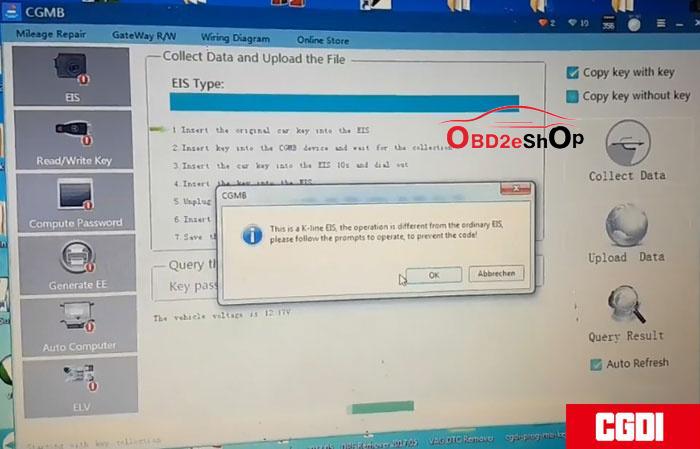
CGMB_Adds_Old_Benz_Kline_W202_W208_W210_Key_via_OBD_04
2.Insert the key into CGDI MB and wait for collection

3.Insert the car key into EIS 10s and remove
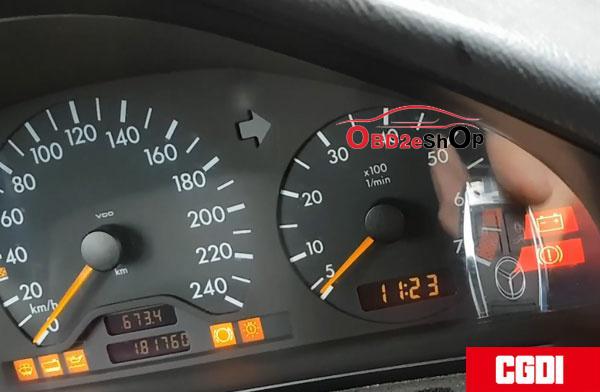
Make sure to twise the key to ON position and turn on
instrument. If failed, pull out the key and try again. Press OK to continue.

4.Insert the key into EIS
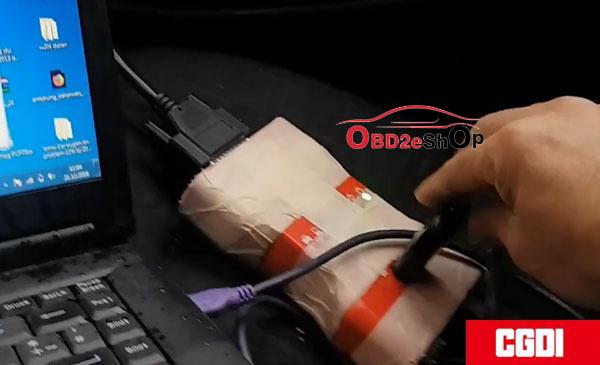
CGMB_Adds_Old_Benz_Kline_W202_W208_W210_Key_via_OBD_05
CGMB_Adds_Old_Benz_Kline_W202_W208_W210_Key_via_OBD_06

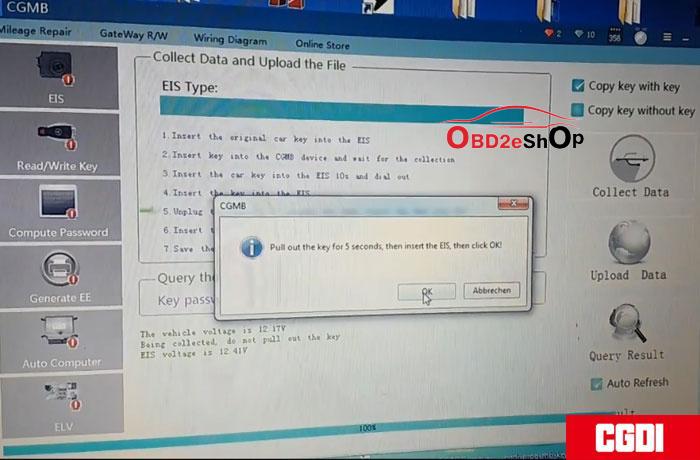
  1. Remove the key for 5s and then insert the key into EIS

6.Insert the key into CGDI MB

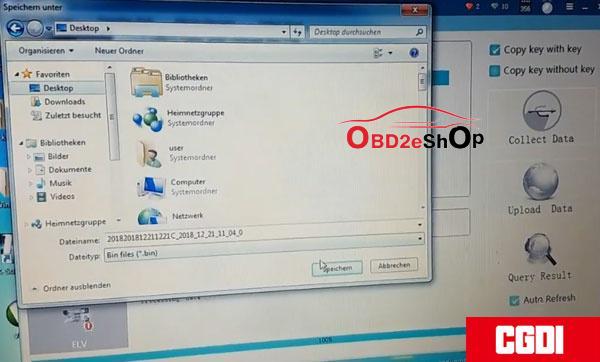
  1. Save the generated files.
CGMB_Adds_Old_Benz_Kline_W202_W208_W210_Key_via_OBD_07
CGMB_Adds_Old_Benz_Kline_W202_W208_W210_Key_via_OBD_08

8.Save the file successfully. Upload the data to calculate password.
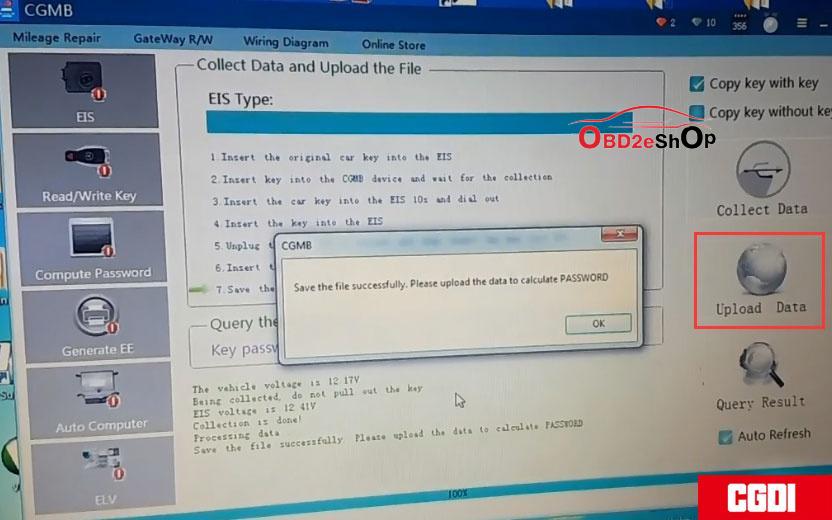
CGMB_Adds_Old_Benz_Kline_W202_W208_W210_Key_via_OBD_09

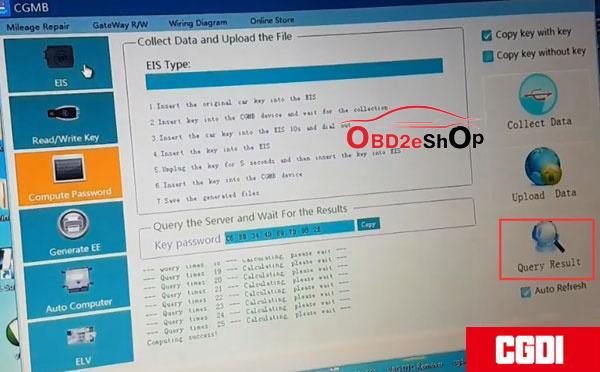
Upload data successfully. Press Query Results to calculate pass--done.
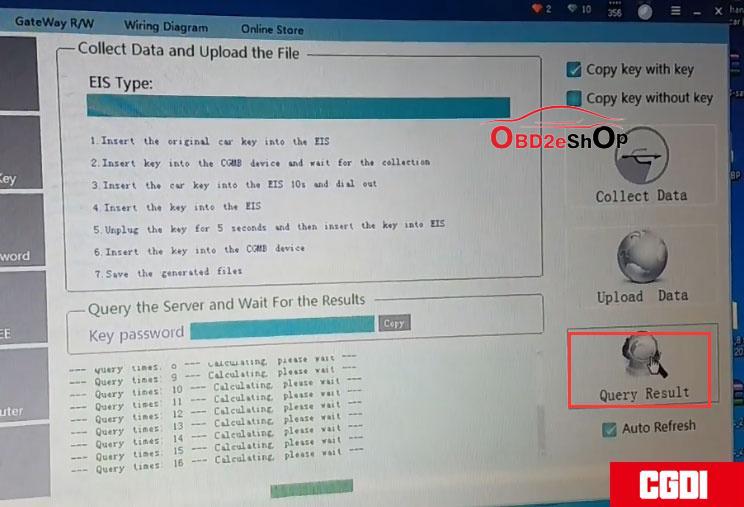
CGMB_Adds_Old_Benz_Kline_W202_W208_W210_Key_via_OBD_10
CGMB_Adds_Old_Benz_Kline_W202_W208_W210_Key_via_OBD_11
Copy and paste the pass to EIS Key password box and then save it.
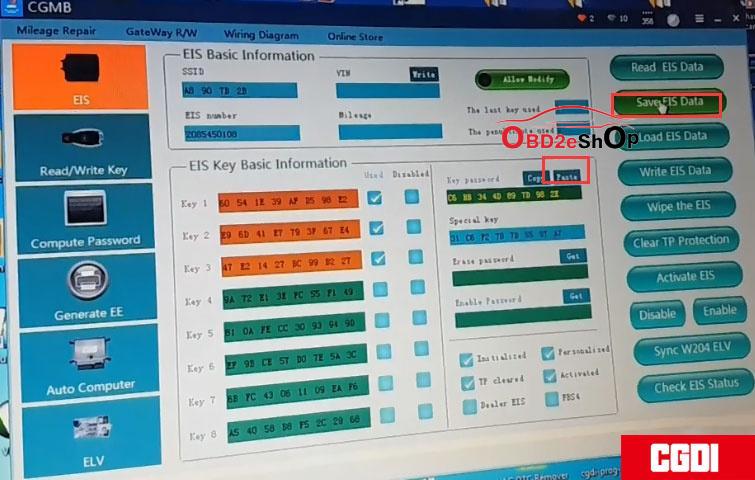
CGMB_Adds_Old_Benz_Kline_W202_W208_W210_Key_via_OBD_12
Select Generate EE->V051-> Load EIS file.
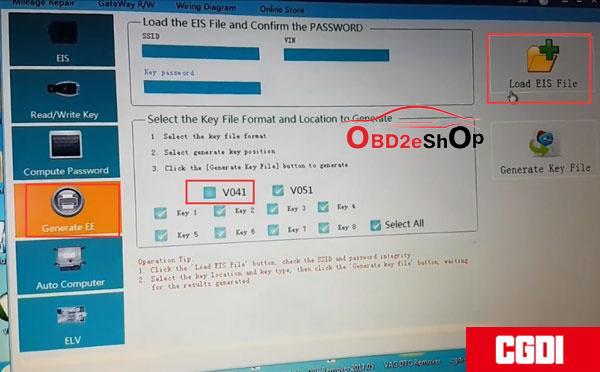
CGMB_Adds_Old_Benz_Kline_W202_W208_W210_Key_via_OBD_13

Upload EIS file just saved-->Press Generate Key File-->The key file was generated successfully.
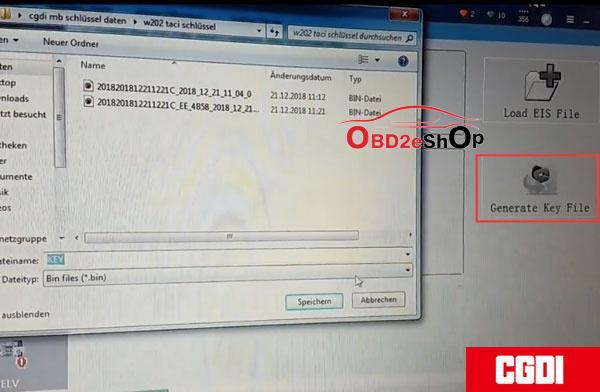
CGMB_Adds_Old_Benz_Kline_W202_W208_W210_Key_via_OBD_14

Go to Read/Write Key->IR --->
read the key/chip
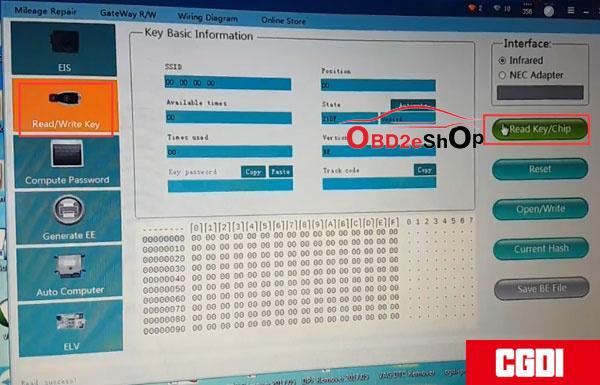
CGMB_Adds_Old_Benz_Kline_W202_W208_W210_Key_via_OBD_15

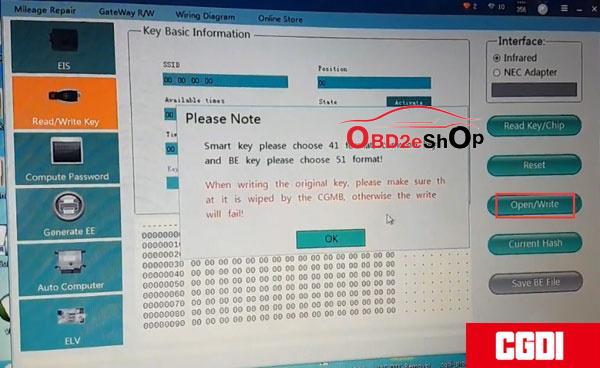
Then Open/Write
CGMB_Adds_Old_Benz_Kline_W202_W208_W210_Key_via_OBD_16

For Smart key choose 41 format, for common key and BE key choose 51 format.

Select a key file and write it.
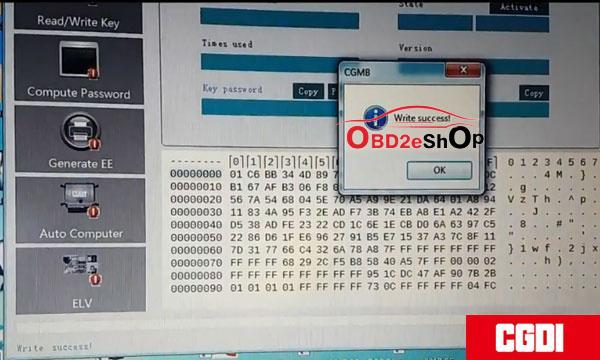
CGMB_Adds_Old_Benz_Kline_W202_W208_W210_Key_via_OBD_17
Write key success.
CGMB_Adds_Old_Benz_Kline_W202_W208_W210_Key_via_OBD_18

Test the new key. Works good.

Job is done.

http://blog.obd2eshop.com/cgdi-mb-adds-benz-kline-w202-w208-w210-key/

Friday, May 31, 2019

How to do BMW F Series Coding by CGDI BMW?

Obd2eshop will show you step by step guide on how to do BMW F Series Coding by CGDI BMW in this post.

Here you go:

Connect CGDI Prog BMW to the car via OBD
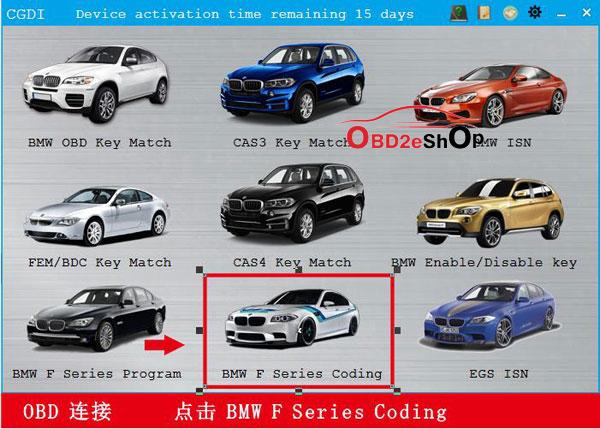
Click on BMW F Series Coding
cgdi-bmw-1
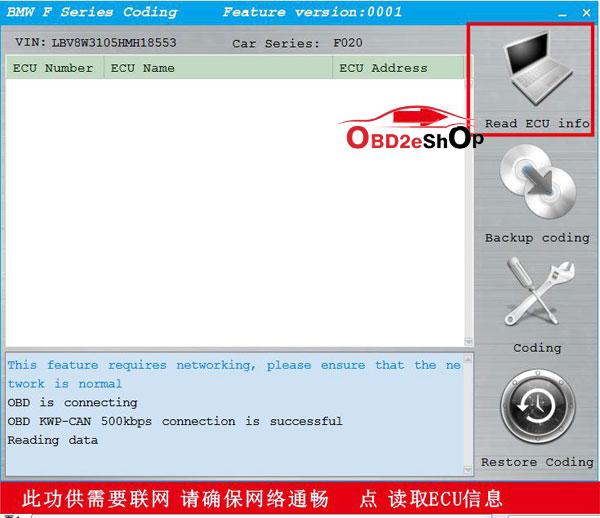
This feature requires networking, please ensure that the network is normal.
Click on Read ECU info
cgdi-bmw-2
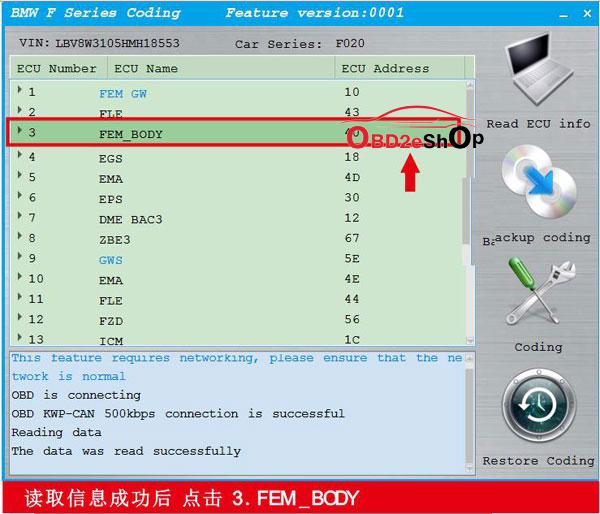
ECU information read successfully. Now select 3. FEM_BODY
cgdi-bmw-3
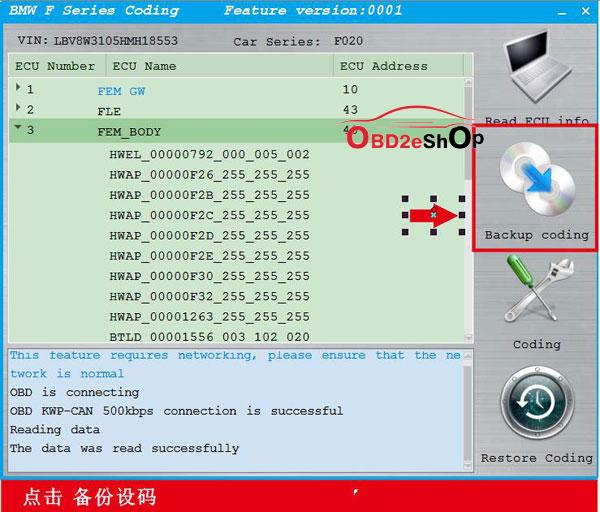
Choose Backup coding
cgdi-bmw-4
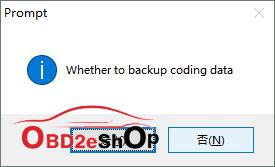
“Whether to backup coding data”  Choose Yes
cgdi-bmw-5
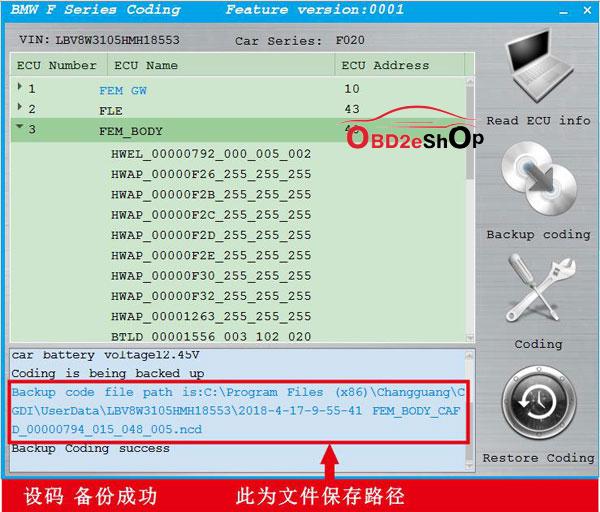
Backup coding successfully. You can see the file location here
cgdi-bmw-6
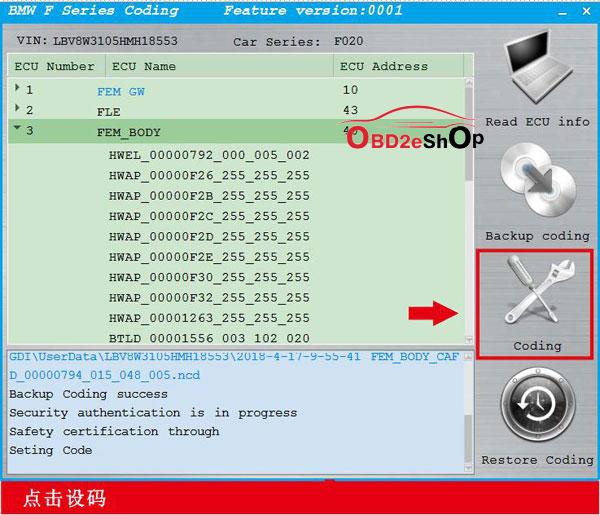
Click on Coding
cgdi-bmw-7
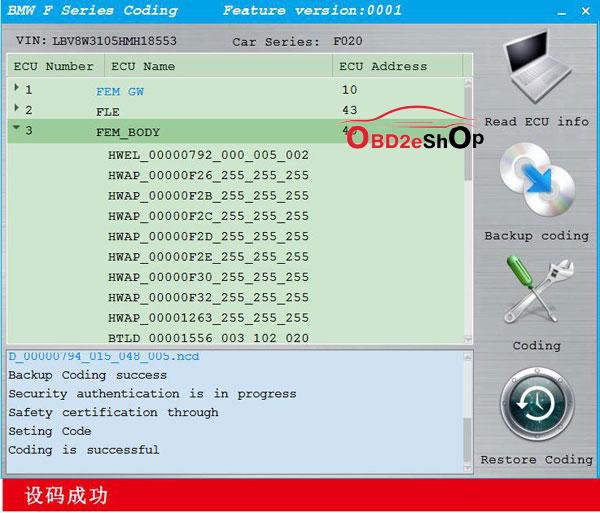
Coding is successful!
cgdi-bmw-8

http://blog.obd2eshop.com/bmw-f-series-coding-by-cgdi-bmw/
Thursday, May 16, 2019

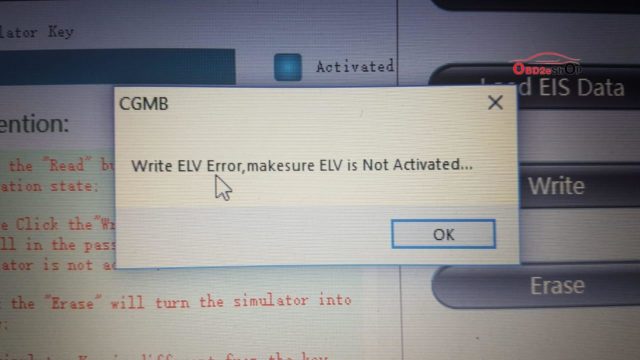
(Solved)Write ELV Error,Makesure ELV Is Not Activated

A user used CGDI MB and ELV simulator (White), get the errors:
1: Write ELV error, make sure ELV is not activated.
  1. This is the old version of the simulator, please contact the after-sales to replace the new version for free...
cgmb-write-elv-error-01 cgmb-write-elv-error-02

Possible reason:
K-line has bad clip

Solution:
Follow the below instruction to operate.

Connect CGDI MB tool to the vehicle via the OBD port, then read the EIS data.
how-to-use-cgdi-elv-simulator-01

Click on "Computer password" to collect the data.
how-to-use-cgdi-elv-simulator-02
The collection process will not be described one by one, upload data, successfully query the password and copy the key password.
how-to-use-cgdi-elv-simulator-03
Click on "EIS" and paste the key password.
how-to-use-cgdi-elv-simulator-04
Save the data in the default file name.
how-to-use-cgdi-elv-simulator-05
Put on the ELV simulator and clip the K-line.
how-to-use-cgdi-elv-simulator-06

Click "ELV", enter "simulator".
how-to-use-cgdi-elv-simulator-07
Read the Simulator and the related information will be displayed, take 204 ELV simulator data for example.
how-to-use-cgdi-elv-simulator-08
Erase Simulator success!
how-to-use-cgdi-elv-simulator-09
Load the EIS data that was saved just now and check whether the key password is correct.
how-to-use-cgdi-elv-simulator-10
Click 'write' button.
how-to-use-cgdi-elv-simulator-11
Write ELV successfully, please insert key into EIS and switch ignition on to activate.
how-to-use-cgdi-elv-simulator-12 how-to-use-cgdi-elv-simulator-13
Read simulator again, you can see it is in the "activated" status, match successfully!
how-to-use-cgdi-elv-simulator-14

Done.

CGDI MB and ELV simulator tech support is offered by www.obd2eshop.com

CGMB
http://www.obd2eshop.com/wholesale/cgdi-prog-benz-key-programmer.html
ELV simulator
http://www.obd2eshop.com/wholesale/cddi-mb-elv-simulator.html

Source:
http://blog.obd2eshop.com/solution-to-cgmb-write-elv-error/

Monday, May 6, 2019

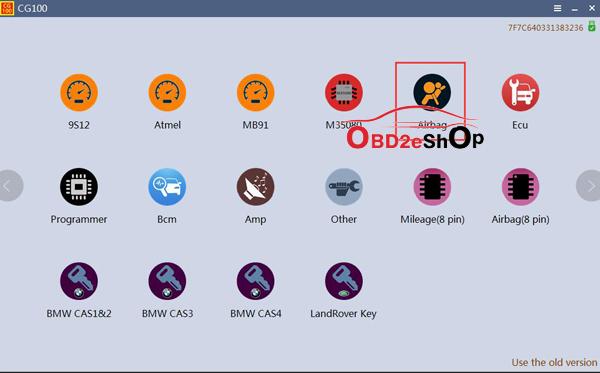
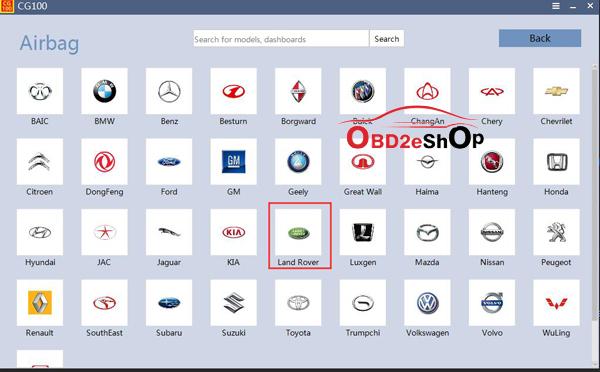
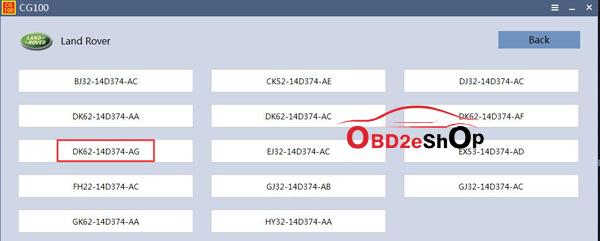
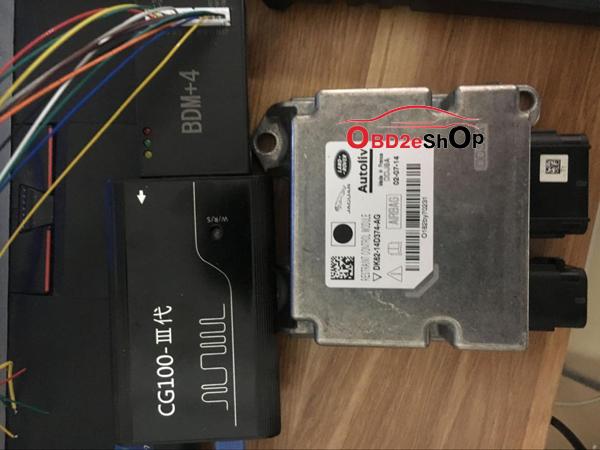
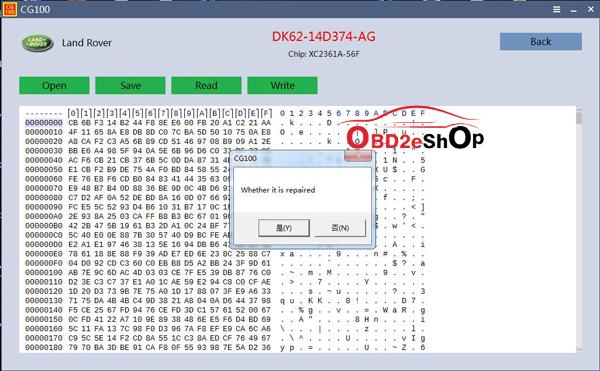
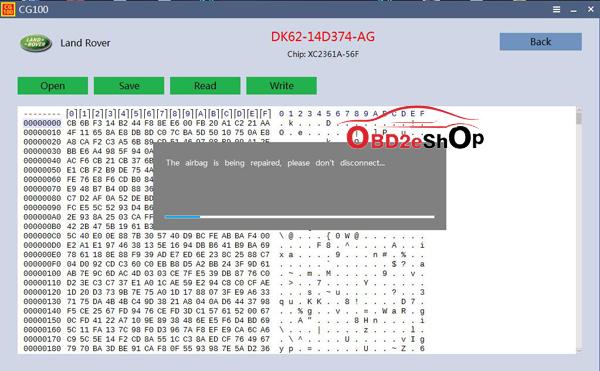
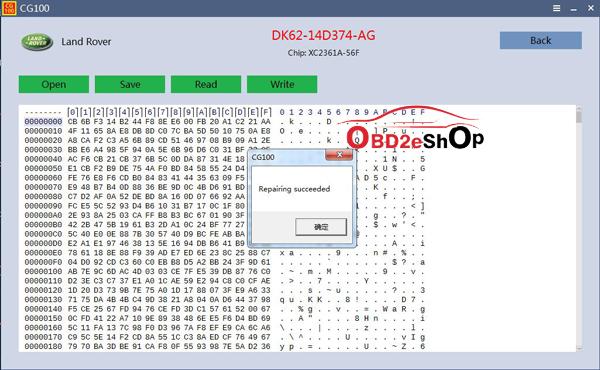
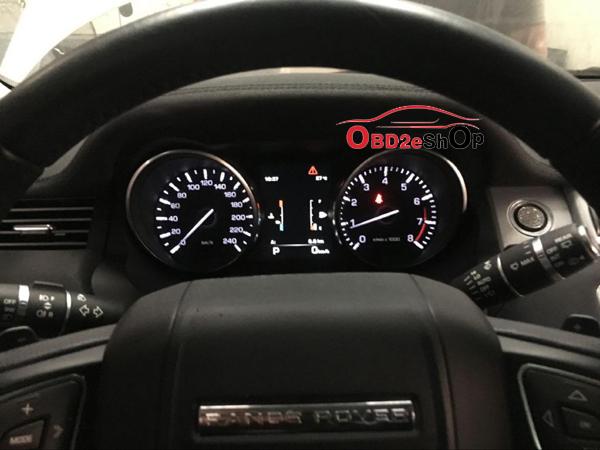
How to use CG100 Pro III to repair airbag for Land Rover Aurora 2014?

Car type: 2014 Land Rover Aurora
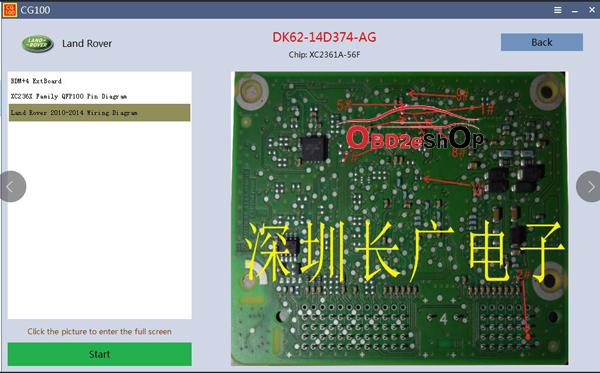
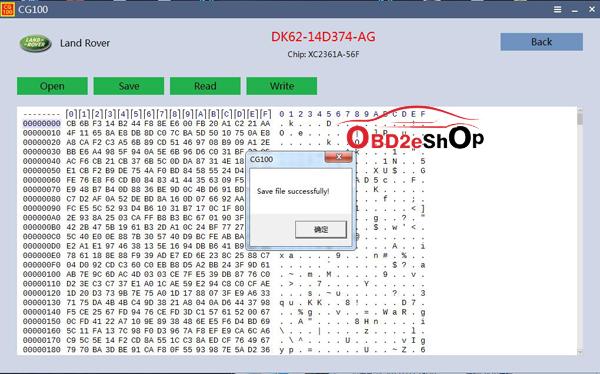
Airbag No: DK62-14D374-AG
Tool Option: CG100 PROG III Airbag Restore Devices

Step-by-step procedure:
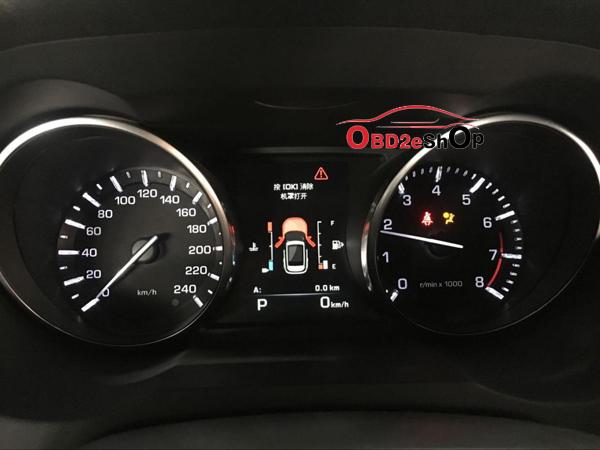
  1. Check the vehicle.
cg100-pro-iii-to-repair-airbag-for-land-rover-aurora-2014-01

  1. The airbag lights on all the time.
cg100-pro-iii-to-repair-airbag-for-land-rover-aurora-2014-02

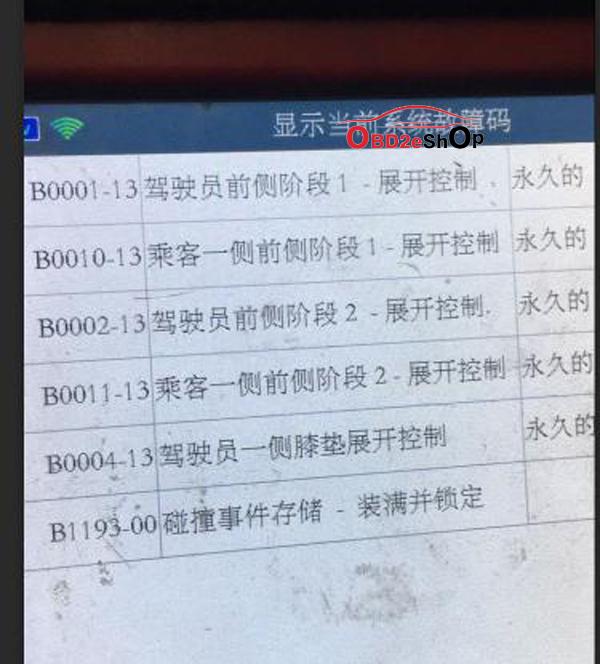
  1. Access professional decoder detection and clear the DTC.
cg100-pro-iii-to-repair-airbag-for-land-rover-aurora-2014-03

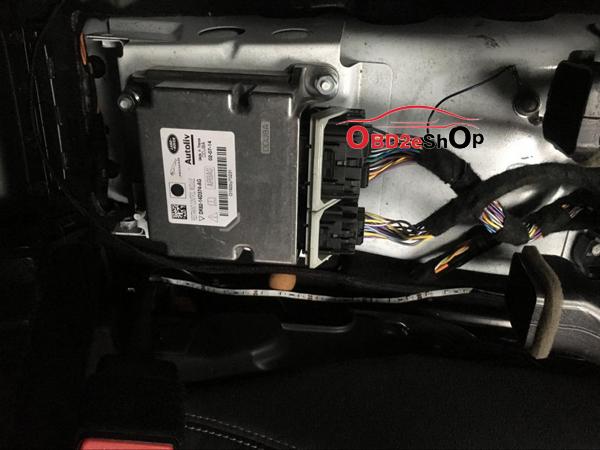
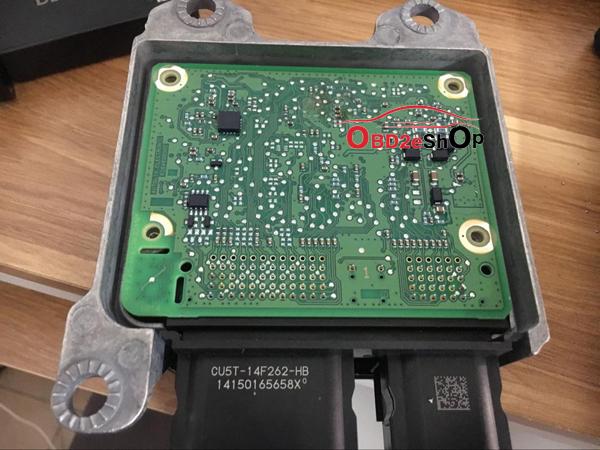
  1. Disassemble the car, find the airbag computer board, confirm the chip.
cg100-pro-iii-to-repair-airbag-for-land-rover-aurora-2014-04 cg100-pro-iii-to-repair-airbag-for-land-rover-aurora-2014-05
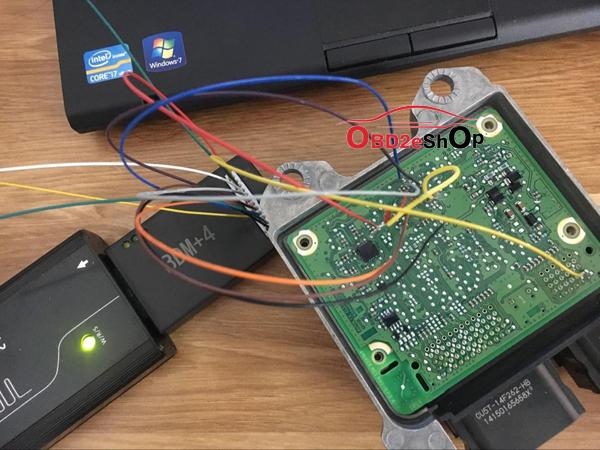
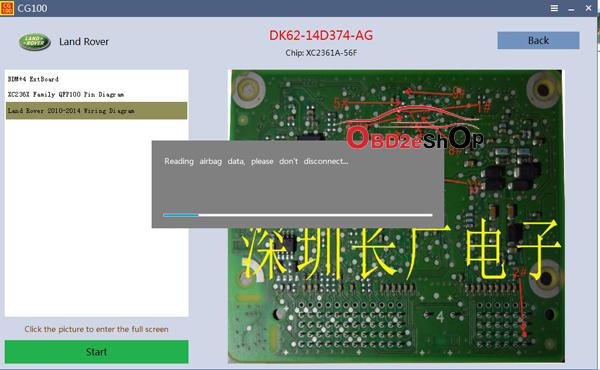
  1. Open the software, enter the corresponding operation interface, find the physical wiring diagram.
cg100-pro-iii-to-repair-airbag-for-land-rover-aurora-2014-06 cg100-pro-iii-to-repair-airbag-for-land-rover-aurora-2014-07 cg100-pro-iii-to-repair-airbag-for-land-rover-aurora-2014-08 cg100-pro-iii-to-repair-airbag-for-land-rover-aurora-2014-09

  1. Perform physical wiring in a no-current environment and confirm that it is correct before
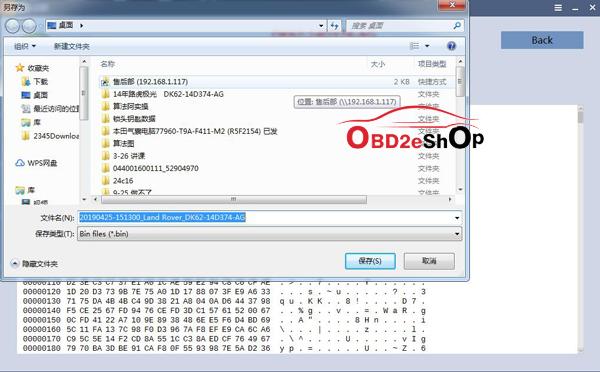
powering on. After reading the data, please save the original data! If the software supports
automatic repair, please repair it at the prompt of the software; if the software does not support
repair temporarily, please select the custom operation the first time consult the manufacturer's
technical staff ( E-Mail:Sales@OBD2eShop.com).
cg100-pro-iii-to-repair-airbag-for-land-rover-aurora-2014-010 cg100-pro-iii-to-repair-airbag-for-land-rover-aurora-2014-011 cg100-pro-iii-to-repair-airbag-for-land-rover-aurora-2014-012

(Note: Please do not touch any cables when it is reading.)
cg100-pro-iii-to-repair-airbag-for-land-rover-aurora-2014-013 cg100-pro-iii-to-repair-airbag-for-land-rover-aurora-2014-014 cg100-pro-iii-to-repair-airbag-for-land-rover-aurora-2014-015 cg100-pro-iii-to-repair-airbag-for-land-rover-aurora-2014-016 cg100-pro-iii-to-repair-airbag-for-land-rover-aurora-2014-017

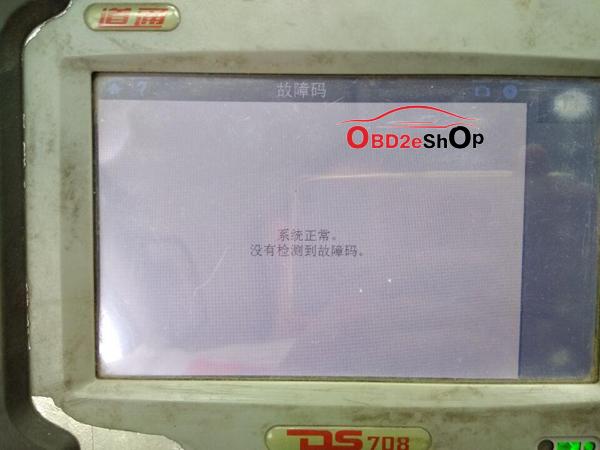
  1. After the repair is completed, please put the airbag computer board back to car. Connect Land Rover special
inspection SDD detection, it did not show any DTC.
cg100-pro-iii-to-repair-airbag-for-land-rover-aurora-2014-018

  1. The airbag light is off.
cg100-pro-iii-to-repair-airbag-for-land-rover-aurora-2014-019

  1. The airbag repaired successfully by CG100 PRO III.


http://blog.obd2eshop.com/cg100-pro-iii-to-repair-airbag-for-land-rover/

How to assemble CG MB FBS3 BGA KeylessGo Key & VVDI Benz smart key shell?

Both CG MB FBS3 BGA KeylessGo Key and Xhorse VVDI Benz smart key shell 3 button share the same assembly process. Open the battery cove...